Every bug tells a story.OwlTrace captures the whole thing.
Visual bug reporting with session replay and technical context. Don't just collect a bug report. Capture what actually happened with screenshots, network logs, and browser details.Record a session, share a link, and help your team reproduce website bugs end-to-end.

Explore OwlTrace by use case
Visual bug reporting, website feedback, session replay for debugging, and workflows for agencies and developers.
Everything you need to squash bugs
One website bug report gives you the full picture for QA feedback and engineering triage. No back-and-forth with users asking “what did you click?”
Video Recording
Record full user sessions and share them with a single link. Perfect for repro steps, async bug reports, and onboarding.
Cookie & localStorage Capture
Every recording includes the exact cookie and localStorage state at the moment of the bug, so no more 'works on my machine'.
Screenshots
Capture exactly what the user sees at the moment they report a bug. No more asking for screenshots.
Network Waterfall
Full timeline of every request: method, status code, duration, and payload, all captured automatically.
Session Replay
Step-by-step clickstream showing exactly how the user navigated to the broken state.
Broken Asset Detection
Automatically detect broken images, missing assets, and dead links on your pages before users notice.
Slack, Email & Telegram
Get instant notifications on Slack, Email, or Telegram the second an issue is reported.
Jira, Trello & Google Sheets
Auto-create Trello cards or Jira issues when a bug is reported. Optionally connect Google Sheets and pick a spreadsheet tab; each new issue appends as a row with key details and a link back to the report. Google access applies only to spreadsheets you connect so you can list, select, and append rows there.
Owl Ping Uptime Monitoring
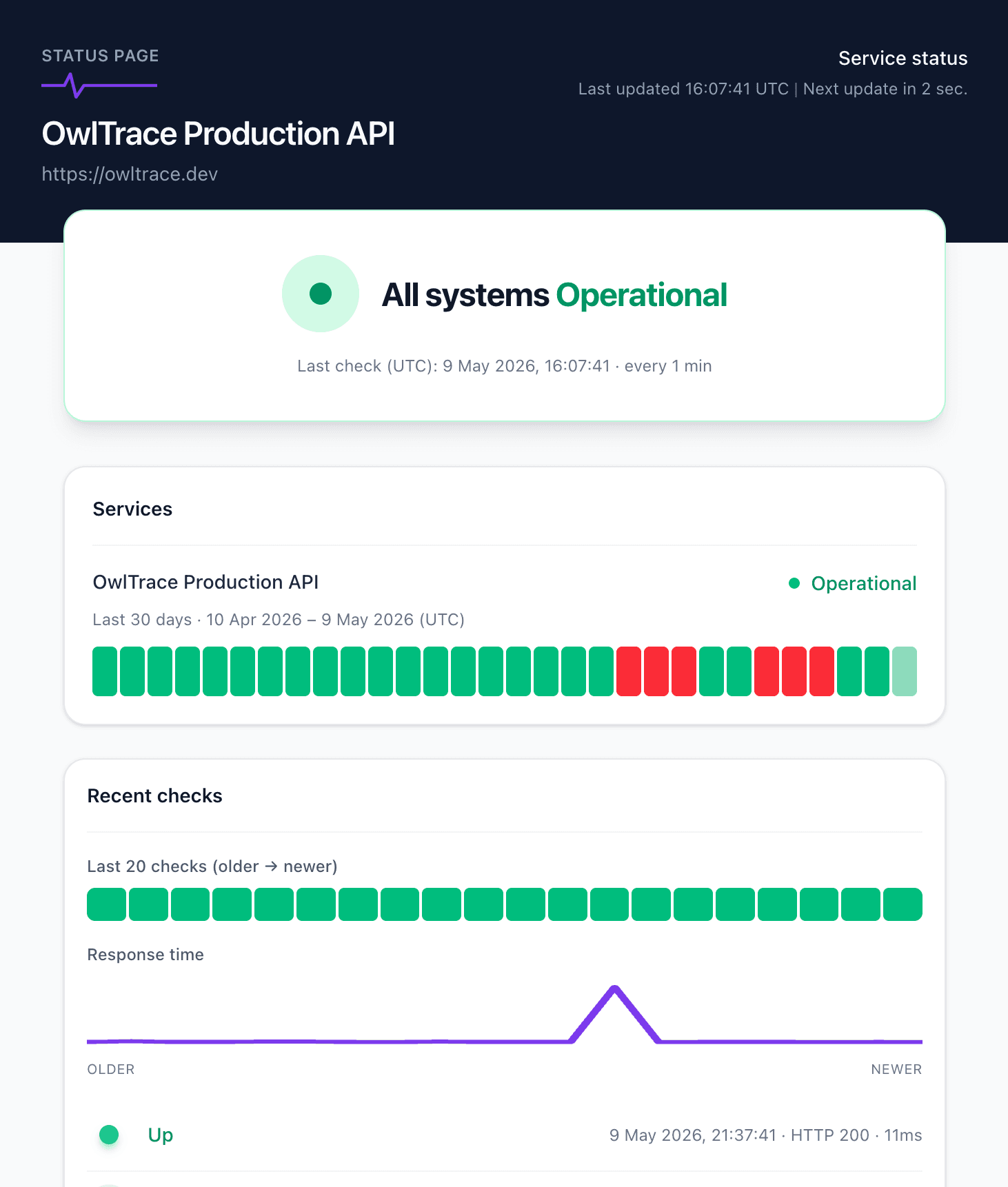
Monitor your APIs and websites every minute. Get email & WhatsApp alerts the moment something goes down, plus response-time history and a public status page.
Up and running in 3 minutes
Drop in the widget
One script tag. One line of init. The floating widget appears on every page, with no UI work required.
Users report bugs
Users can record their screen, capture a screenshot, or just type a description, all from the same floating widget.
You see everything
Your dashboard shows the video, screenshot, network log, cookies, localStorage, and full session replay in one view.
Privacy & Feedback tool
Collect feedback without leaving the page
Give users a private way to report bugs and share ideas. They can record a short clip, grab a screenshot, or write a note, then send it with the context your team needs.
Record
Capture a short screen recording so your team can replay exactly what went wrong.
Screenshot
Snap what they see in one click and attach it to the report automatically.
Write
Type a short description when a clip or screenshot is not needed.
Try it on this page: click the floating owl on the right to open the feedback widget and send a report.
OwlTrace connects & syncs with
Jira, Trello & Google Sheets
Capture issues in OwlTrace. Auto-create and sync everywhere your team works.
 OwlTrace
Checkout button not working
/checkout
- Session replay
- Screenshot
- Network logs
- Console logs
- Cookies & LocalStorage
- User info & system details

Jira
Issue created & synced
PROJ-123Checkout button not working
Trello
Card created & synced
BugCheckout button not working
Google Sheets
Row added & synced
Know the moment your API goes downBefore your users do.
Owl Ping monitors your APIs and websites every minute, tracks response time, and pings you the second something breaks.
Email & WhatsApp alerts
Instant notifications the moment a check fails, plus reminders while the incident is open and a recovery ping when it’s back.
Response-time history
Live latency charts and a 30-day timeline of every check — spot regressions before they become outages.
Reports & uptime history
Per-monitor uptime %, incident history, and exportable reports for SLA reviews.
Public status pages
One-click hosted status page so customers always know the current health of your services.
Works with your stack
One SDK, every framework. Drop OwlTrace into your web or mobile app in minutes.
OwlTraceStill have
questions?
We can walk through what OwlTrace does and how to wire it into your app. Use the live chat bubble in the lower-right corner anytime, or send us a note with the button below. We will reply as soon as possible.
- Quick response
- Secure & private
- Human support

Got a question about OwlTrace?
We’d love to help you get started.
Your users’ data stays safe
All data is encrypted in transit and at rest. Screenshots are stored securely on S3. You control retention policies and can redact sensitive fields.